
Payment Link Report
Introduction
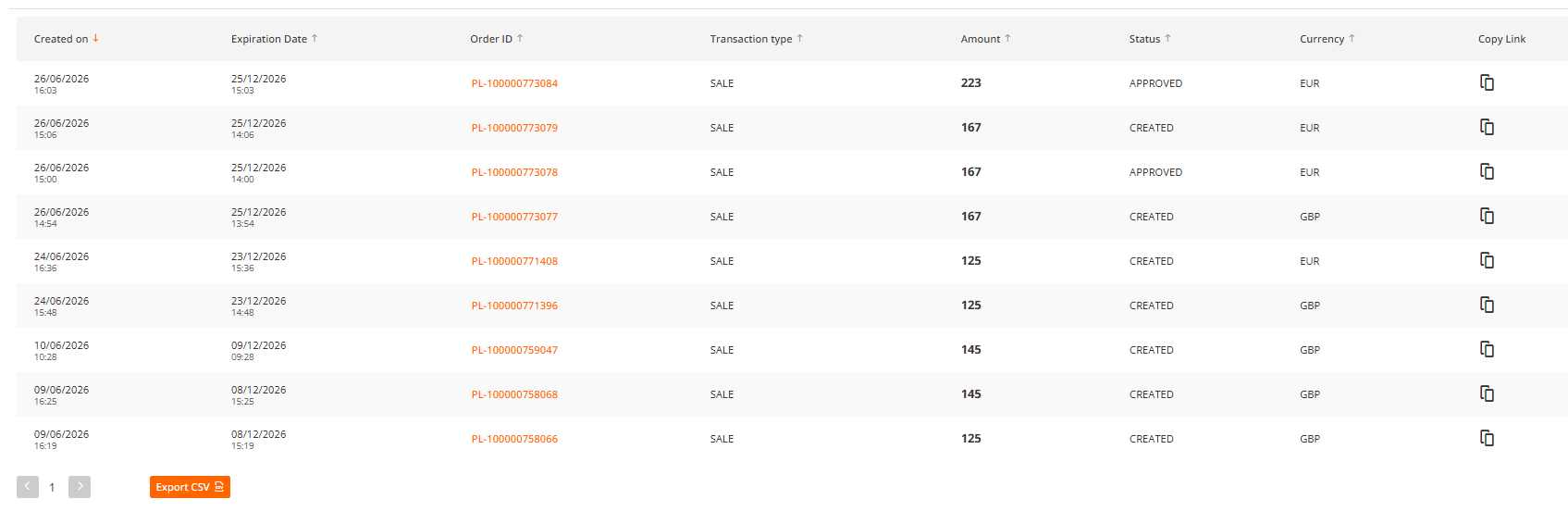
The report provides a comprehensive overview of payment links, including key details such as creation and expiry dates, payment status, and associated Order ID information.
The report is located on the main screen on "Payment Links" tab:
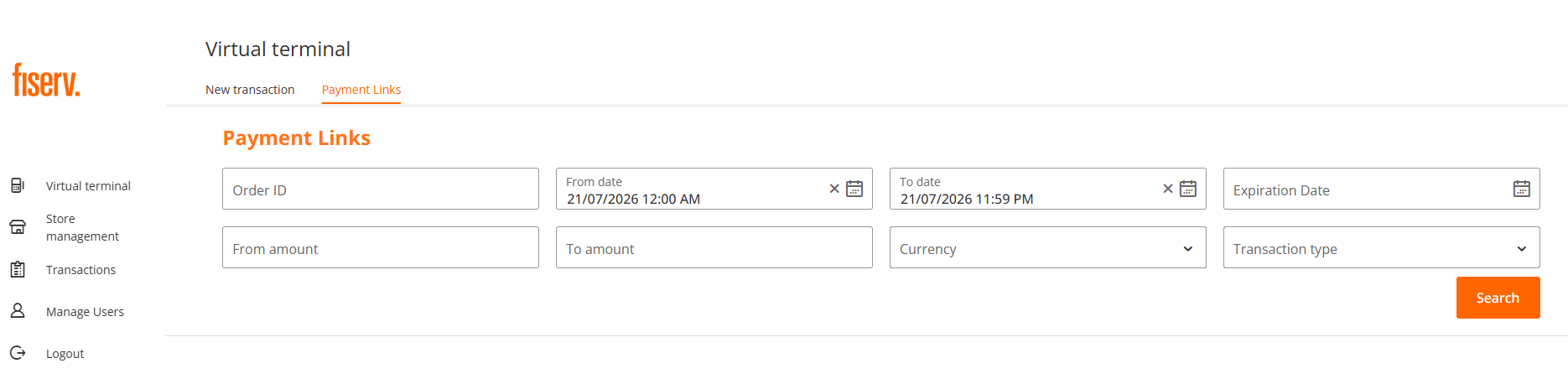
Search function
After you entered the selection criteria of your preference, you click on "Search" button and the records matching the selection criteria appear:
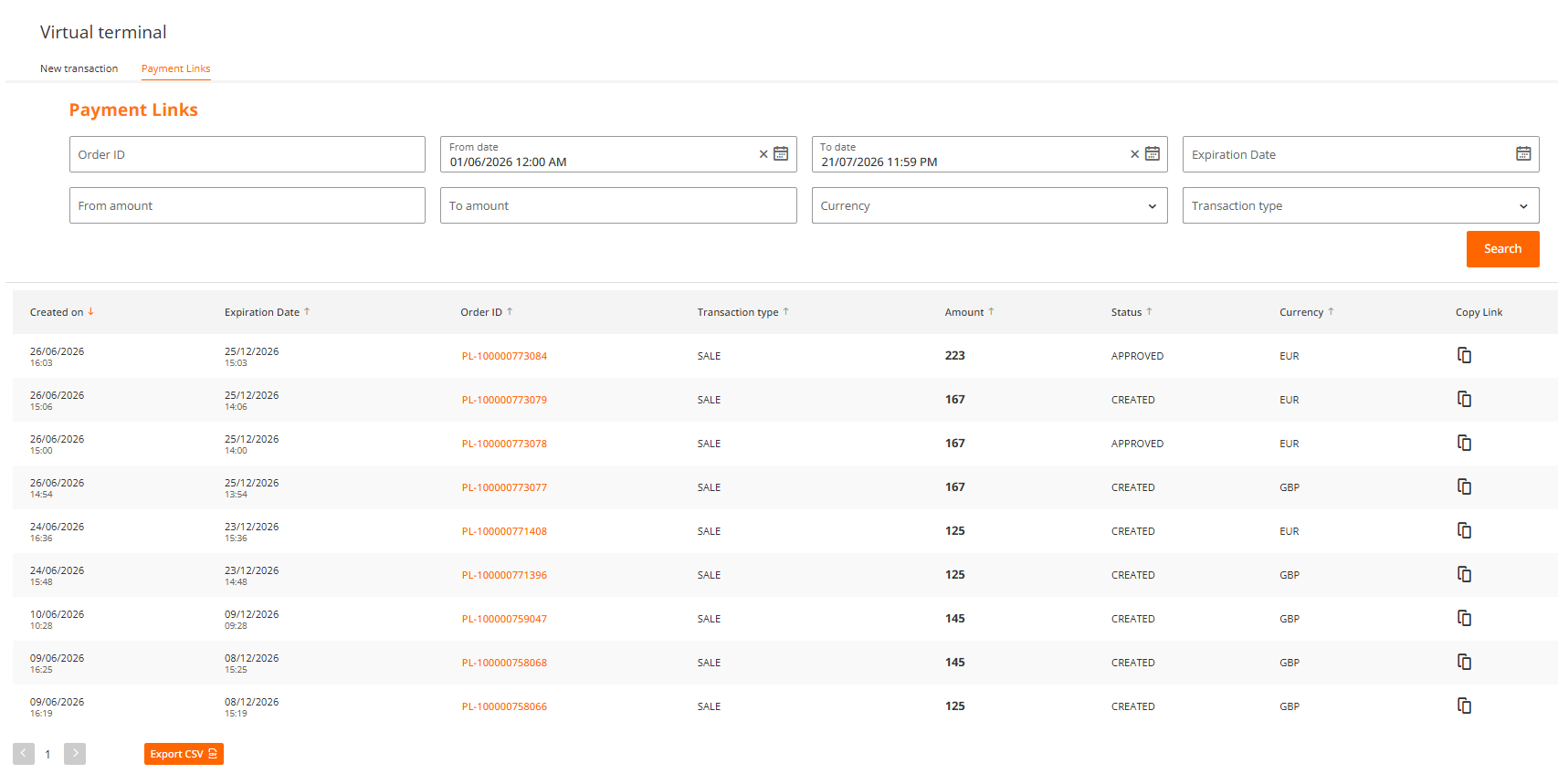
Transaction Details
By clicking on "Order ID" highlighted link, you will be provided with the details of a transaction associated with the payment link, including failed authorisation attempts and payment status.
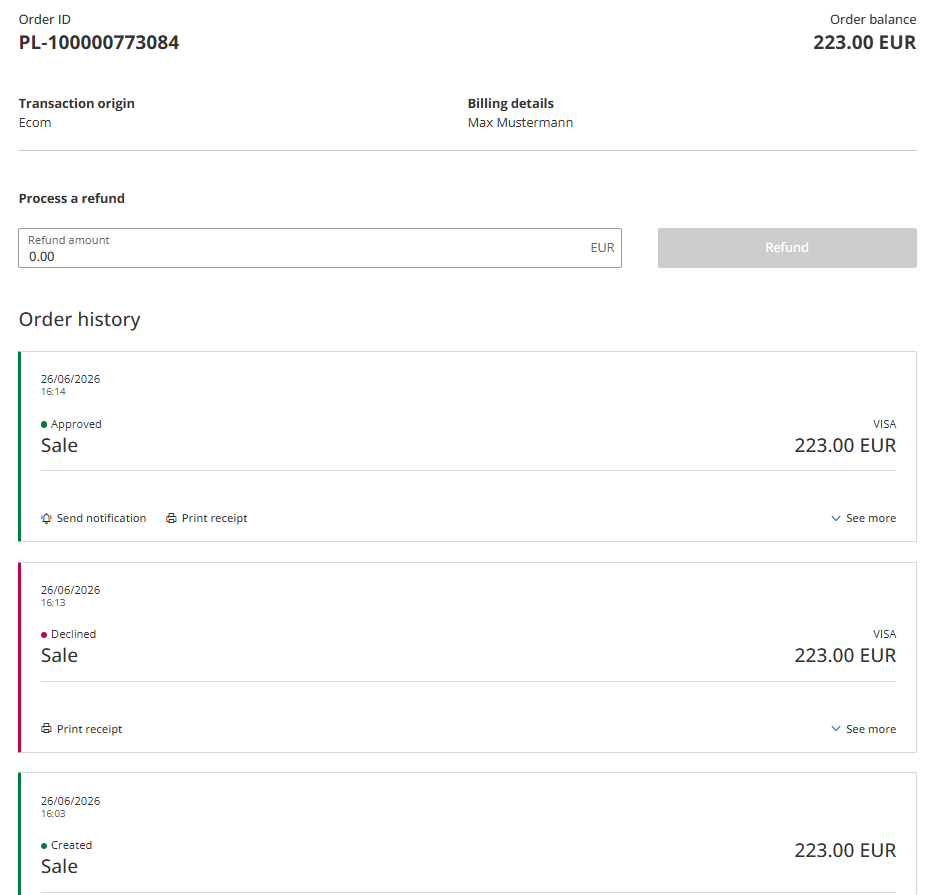
Order History
You could view each transaction details by clicking on "See more" drop-down symbol and also perform a secondary transaction (partial or full refund), send email notification or print a receipt for your customer.
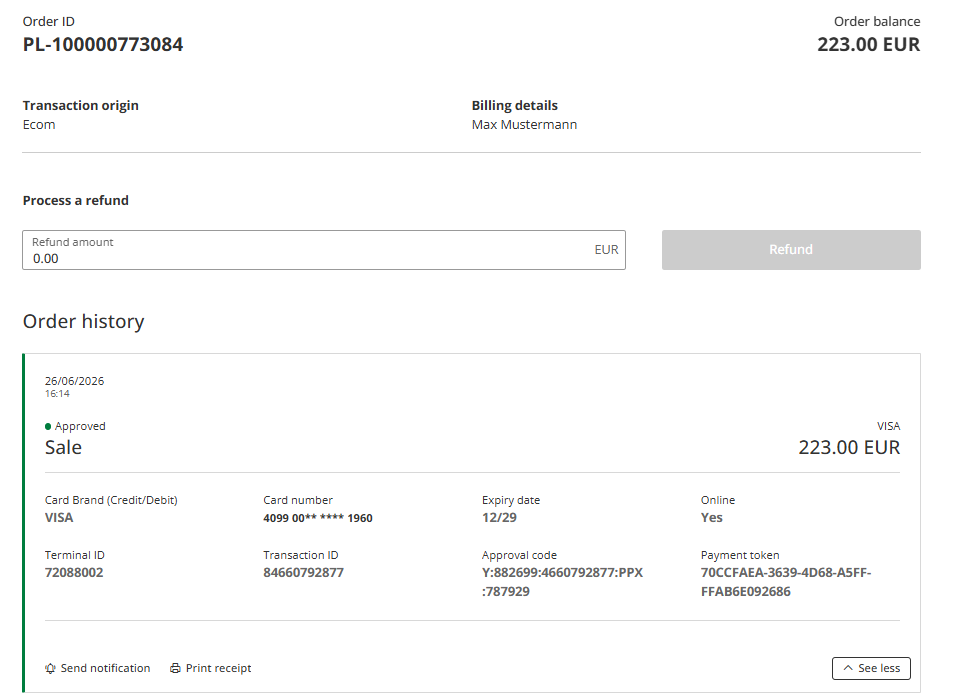
Data Export
You can export the report into Comma Separated Value (CSV) file using the "Export CSV" button on the bottom of the displayed records. All results matching your selection criteria will be exported into CSV file.
Updated 3 months ago
