
Email notifications
Introduction
The Gateway can automatically send out confirmations for each payment transaction by email. These
notifications can be sent to you as well as to your end consumer.
You can access the service through "Store management" by clicking on "Email Notifications" tab.
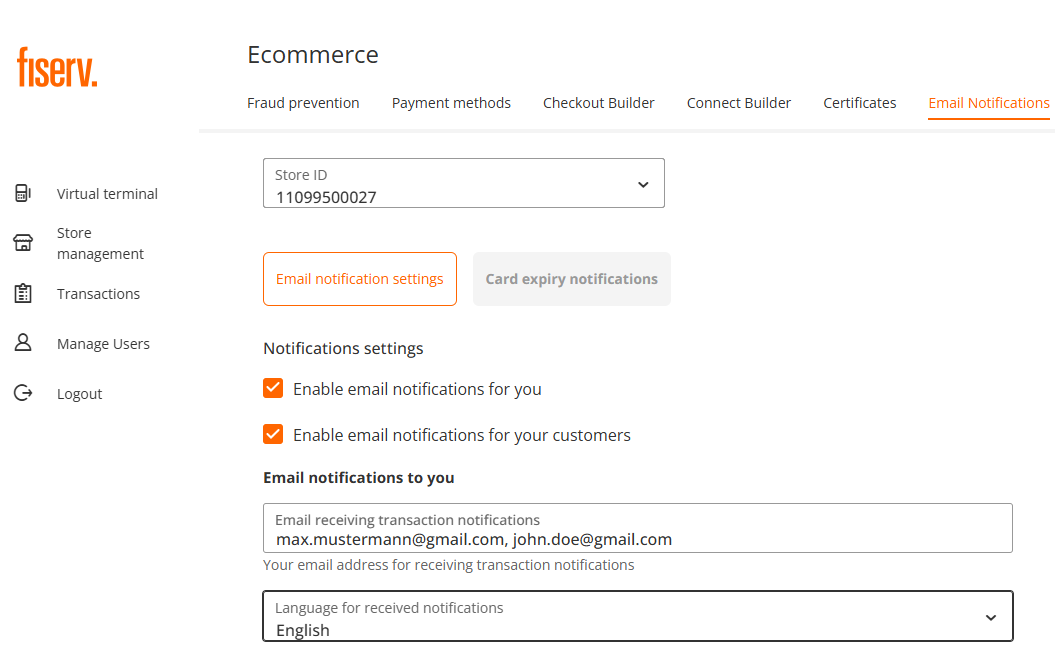
Email notification settings
Email notifications for merchants
- Enter your email address(es) that shall receive notifications for each processed transaction. The field allows you to input up to 4 email addresses, please use comma (,) as a divider. Semicolon (;) is currently not supported.
- Select language for a notification message. All currently supported languages are visible once you click on radio button.
- The field "Sending transaction email address" is populated with a legacy no-reply address. In the future Virtual Terminal releases the field will be editable and you will be able to use it to enter your preferable valid reply email address.
- Enter your store name what you would like to appear in the notification email.
- Header and Footer text are optional fields, which you could use for legal or business disclaimers.
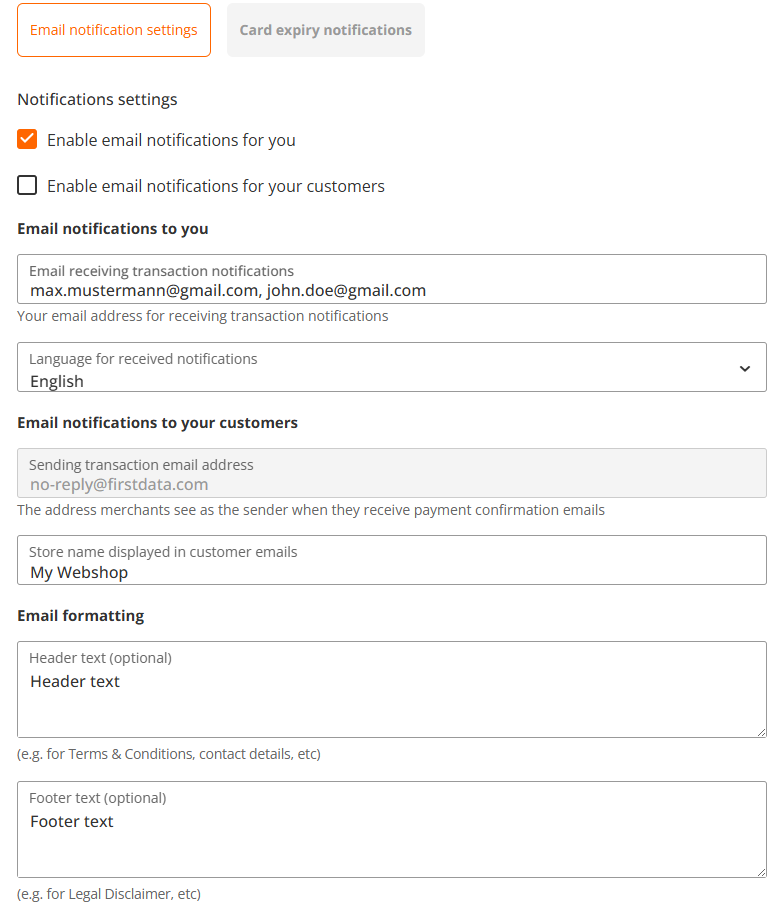
Email notification to end consumers
- By clicking on the checkbox "Enable email notifications for your customers" (see the picture above) you will activate a notification for your end consumer
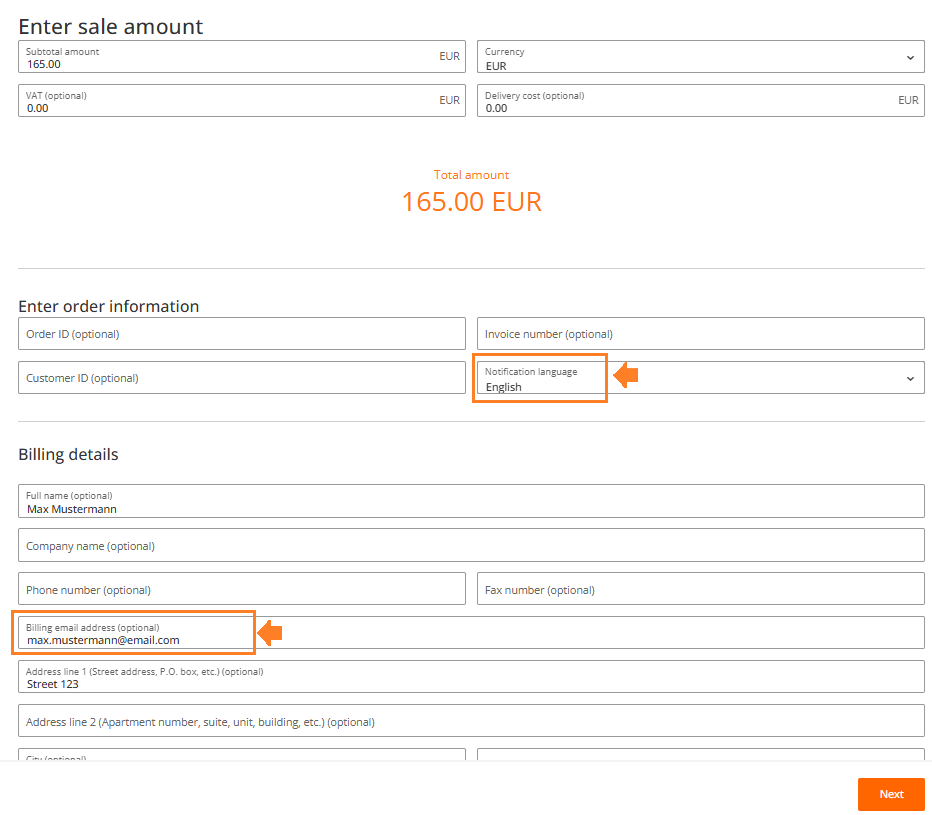
- End consumer's email address must be submitted during transaction processing in the optional "Billing email address" field
- Set up the notification language in "Enter order information" section
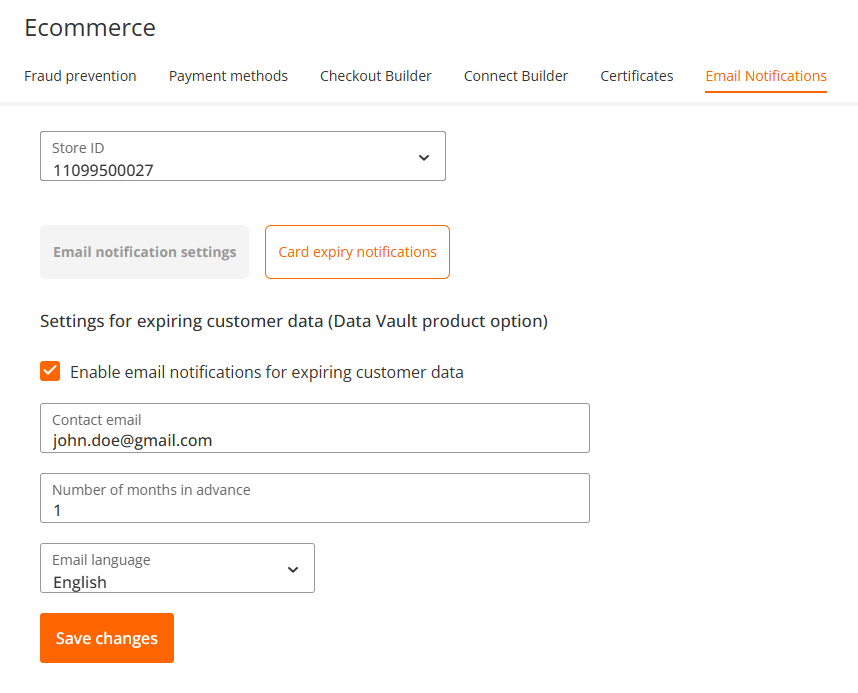
Card Expiry Notifications
You can set up a notification for your customers about upcoming credit card expiry in case they are using Gateway's tokenisation service (card-on-file).
- You fill out a valid email address in "Contact email" field
- You set a number of months, before expiry date, when the notification is sent to the email in the Contact email field
- Select the language for the notification text
- Save changes
Updated 3 months ago
Did this page help you?
