
Certificate management
Introduction
When your store is activated for the transaction processing via the Web Service API (SOAP API) and you are logged
in the Virtual Terminal on the store's original user account, then you can access a tab enabling you to generate the TLS client certificates and to download them.
This process can be used for the initial creation of the TLS client certificates as well as for its renewal process without the need to contact the technical support team.
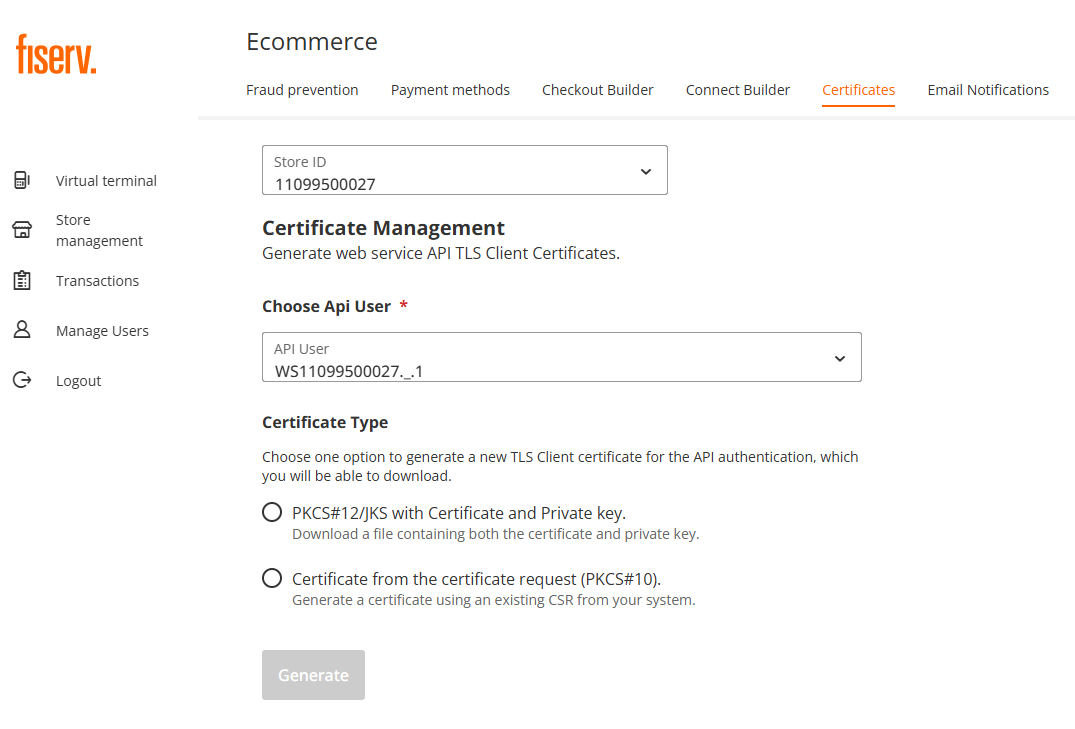
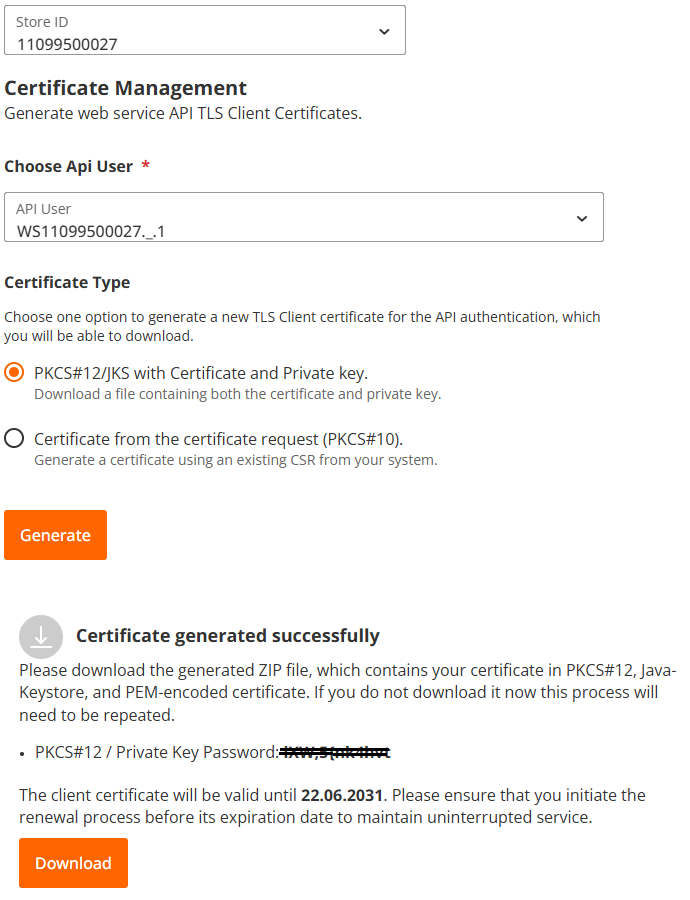
Certificate generation and download (PKCS#12/JKS)
- Navigate to "Store management" and click on "Certificates" tab .
- Select the user ID you need the certificate for, in case you have multiple SOAP API users under your store
- You can choose one out of two available options to generate a TLS client certificate by selecting a
dedicated checkbox for:
• PKCS#12/JKS with Certificate and Private Key
• Certificate from the certificate request (PKCS#10) - After you selected one of the option click on "Generate" button
- Please follow the instruction on the screen. Please note, that if the certificate is not downloaded in time, the whole process must be repeated.
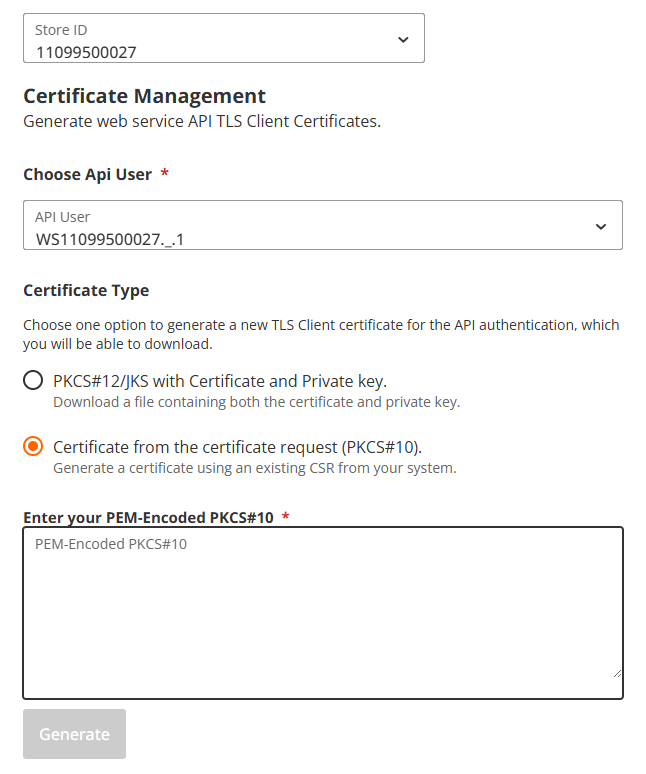
Certificate generation from your system (PKCS#10)
- Navigate to "Store management" and click on "Certificates" tab .
- Select the user ID you need the certificate for, in case you have multiple SOAP API users under your store
- You can choose one out of two available options to generate a TLS client certificate by selecting a
dedicated checkbox for:
• PKCS#12/JKS with Certificate and Private Key
• Certificate from the certificate request (PKCS#10) - After you selected one of the option click on "Generate" button
- Please follow the instruction on the screen. Please note, that if the certificate is not downloaded in time, the whole process must be repeated.
Updated 3 months ago
Did this page help you?
