
Connect Builder
Connect builder enables you to configure and adapt your Connect Hosted Payment Page look and feel to better fit to your overall checkout experience.
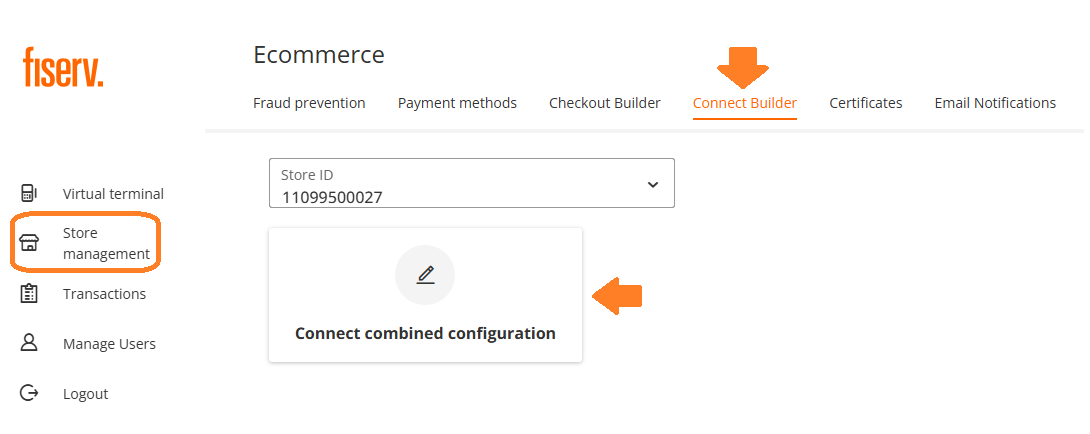
Hosted Payment Page configuration
Connect Builder offers you to add / change logo, background, text and buttons colours.
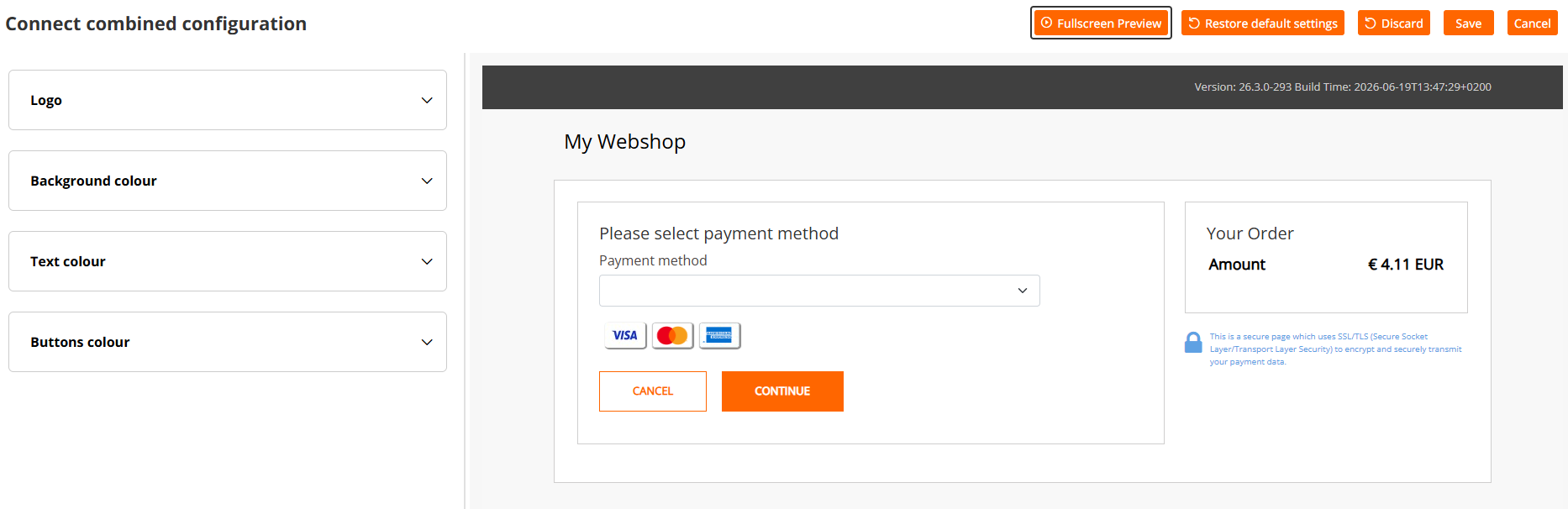
Configurations Tabs
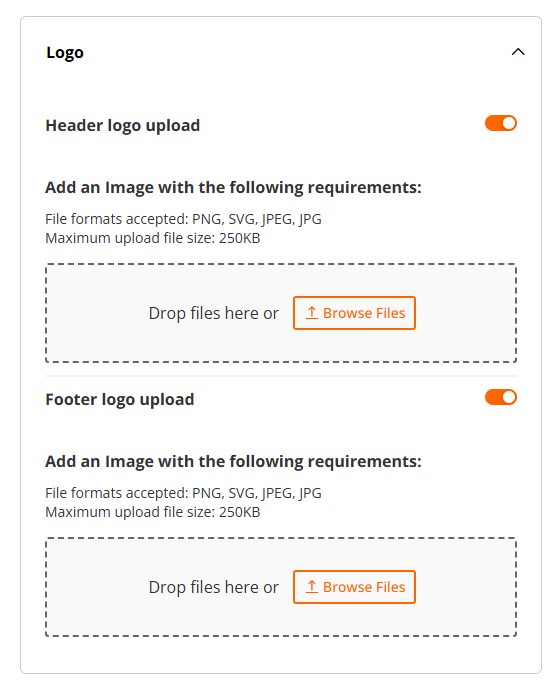
Logo
You may upload header and footer logo of your hosted payment page by simply uploading the file in one of accepted formats: PNG, SVG, JPEG and JPG. The picture size must not exceed 250 kB.
Background Colour
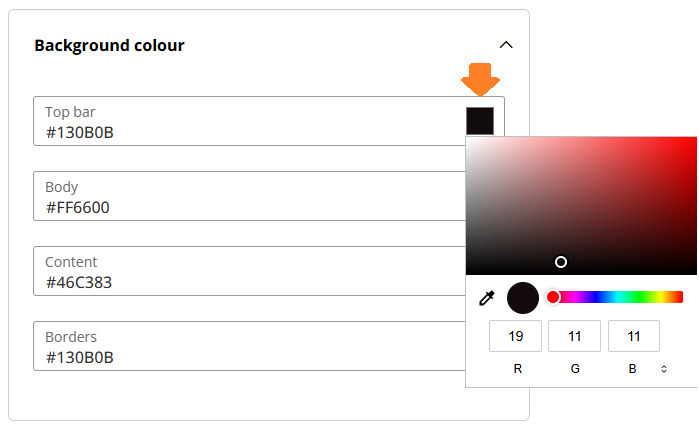
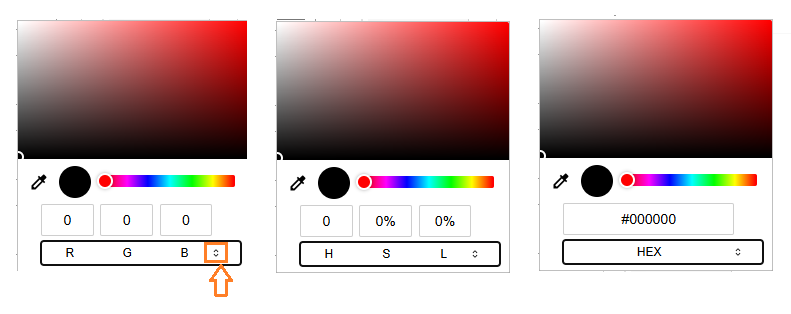
There are 4 options available to modify the colouring on your hosted payment page by picking your preferrable colour from the palette, or by selecting a precise colour code - RGB, HSL or HEX.
Sections
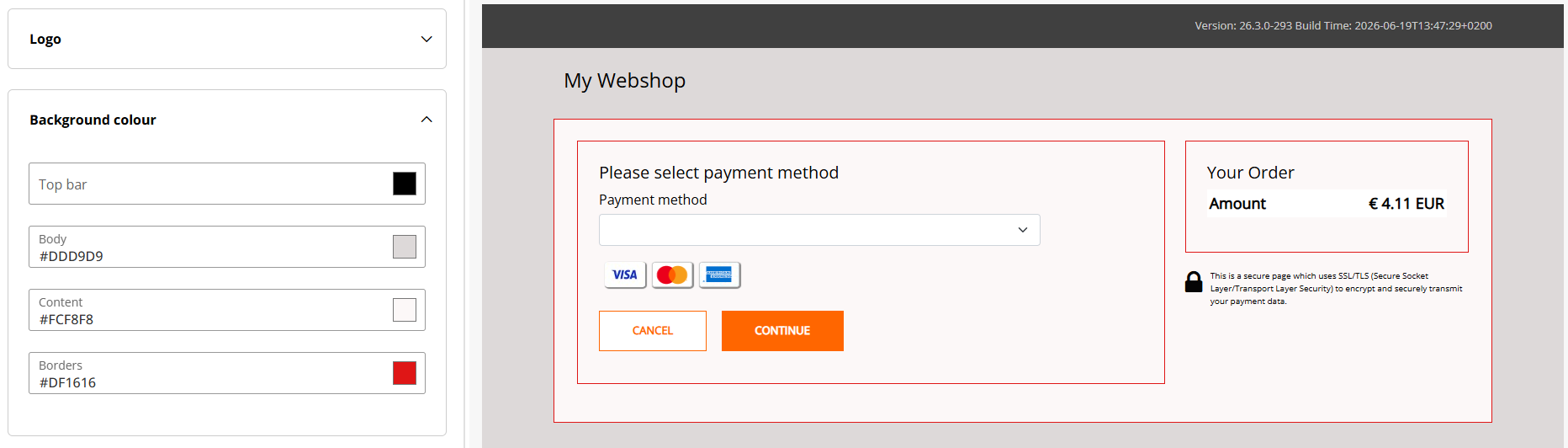
There are 4 options available for a colour change:
- Top bar - the upper banner/bar section (black on the example below)
- Body - outer area of the hosted payment page (grey on the example below)
- Content - inner area of the hosted payment page (light orange on the example below)
- Borders - boarders of the hosted payment page (red on the example below)
Font Colour
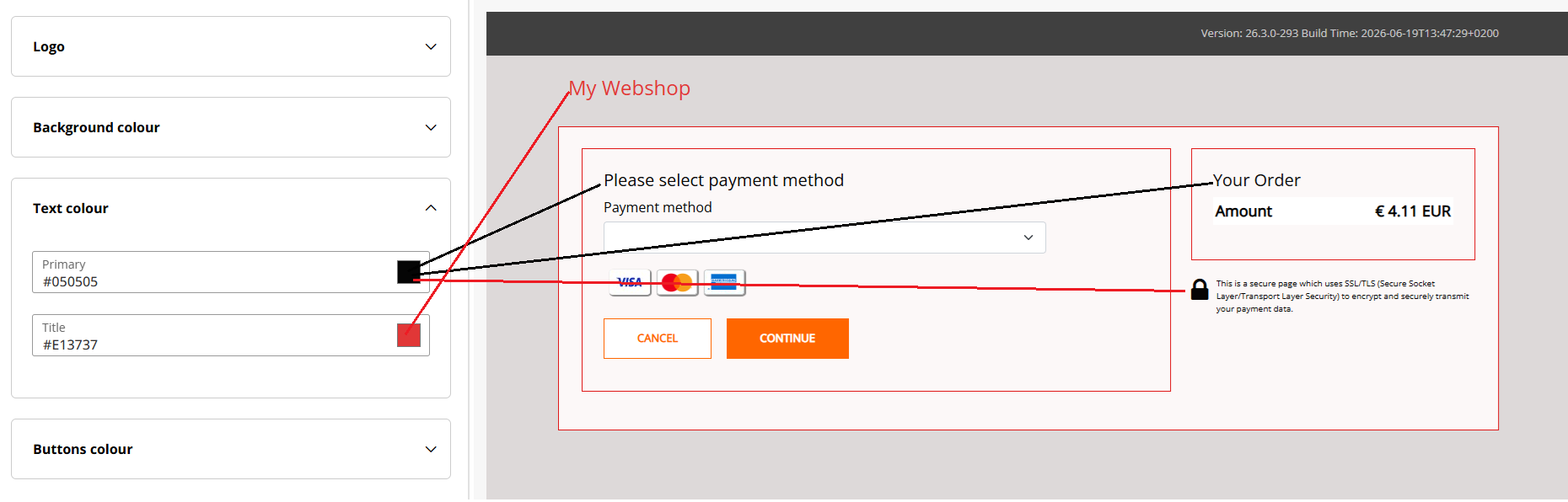
You can select 2 different colours for your hosted payment page:
- Primary - text in the inner part of HPP
- Title - the name of your workshop / legal name of your store as entered during the boarding
The colour selection follows the same process as in the previous chapter.
Buttons Colour
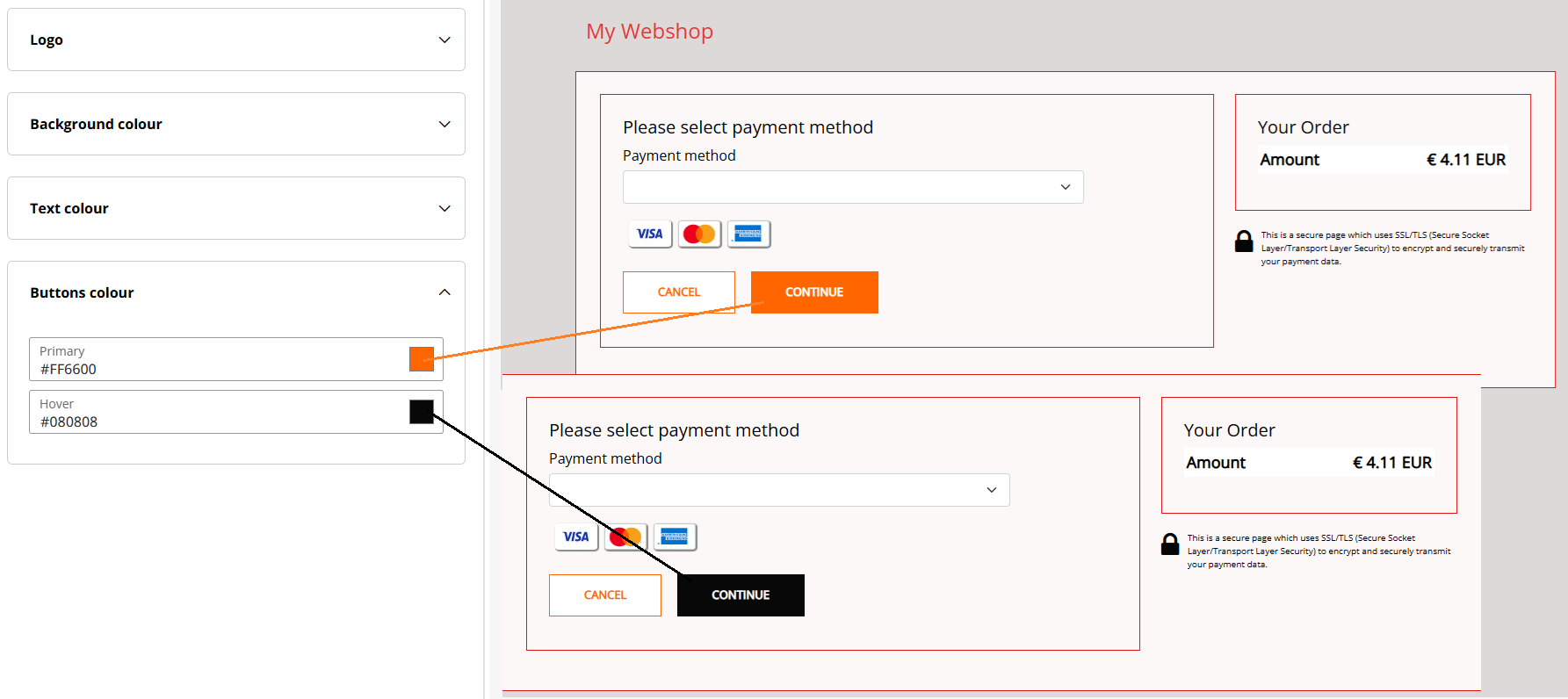
You can change the colour of the buttons in the same way as done in previous steps, there are 2 different options available:
- Primary - button colour what appears without any interaction
- Hover - the colour shown once you hover the mouse over the button
Design confirmation
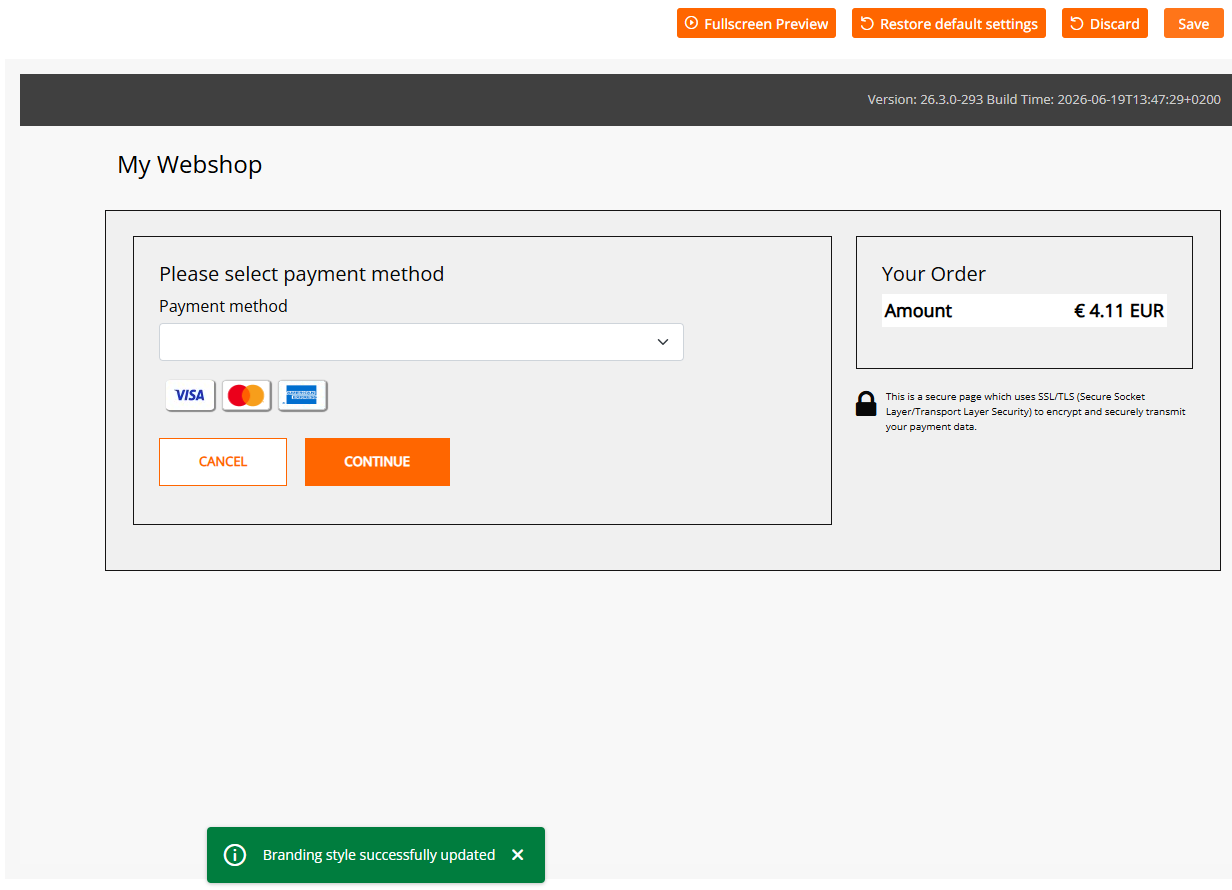
Once you are satisfied with the changes you made on your hosted payment page, please confirm your selection with clicking on "Save" button, located in the top right corner of the Connect Builder. A message appears on the bottom of the page with the information, that your design has been saved successfully.
Updated 3 months ago
