
Recurring Payments Report
Introduction
The purpose of the Recurring Payments Report is to provide an overview of the scheduled payments, frequency and duration. The report is accessible through "Recurring payments" tile.
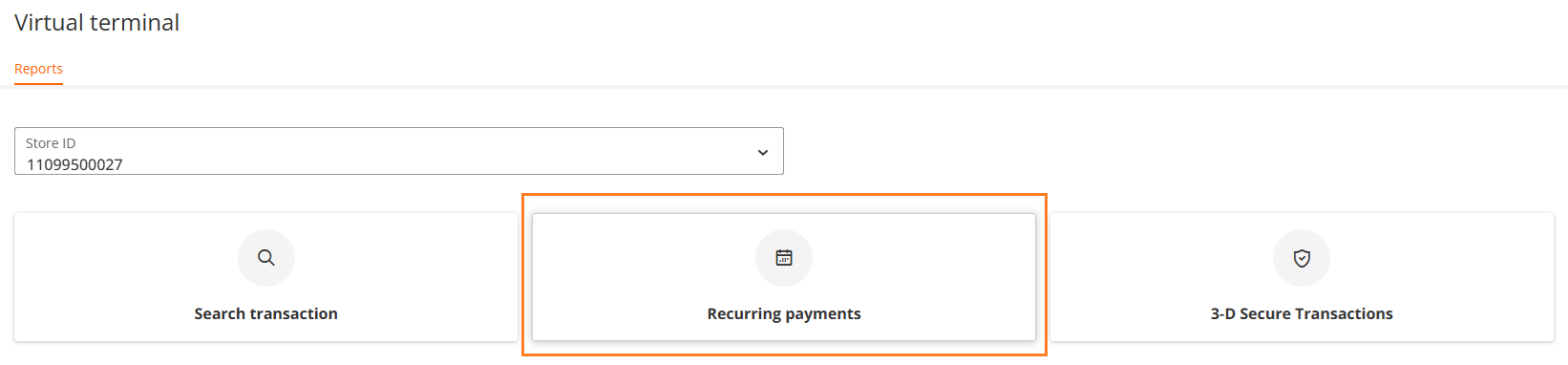
Search Criteria
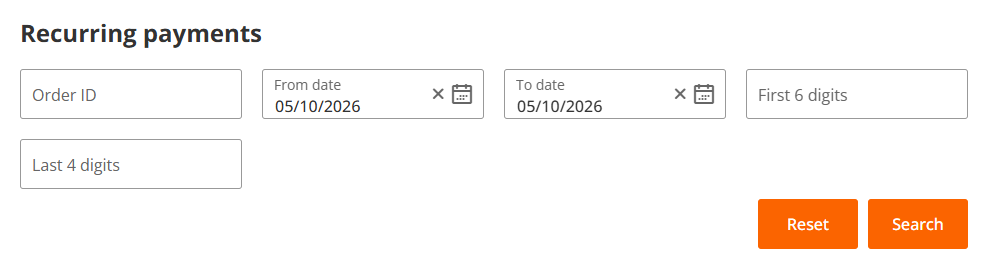
After clicking on the "Recurring payments" tile, the following search parameters are displayed:
- Order ID - a standard IPG transaction identifier
- From date
- To date
- First 6 digits - the first 6 digits of a credit card number
- Last 4 digits - the last 4 digits of a credit card number
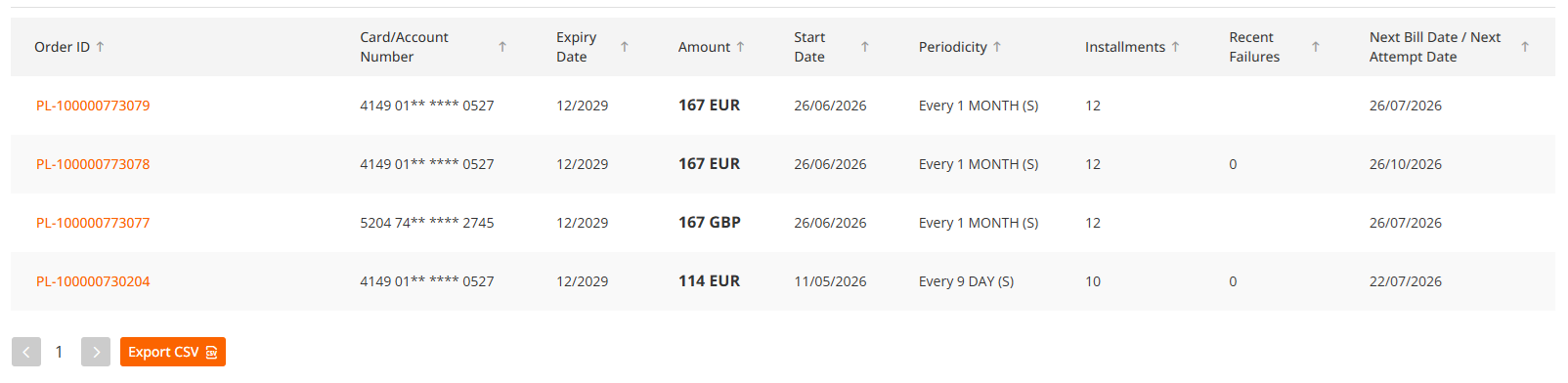
Report Details
Based on your selection, the list of all schedules matching your input are listed below the search table.
Highlighted parameter "Order ID" is clickable and provides additional information and the ability to amend or cancel the schedule.
Amend Schedule
In case you require to change the frequency, update credit card number for future payments or change transaction details, please click on "Amend schedule" button located above recurring payment details.
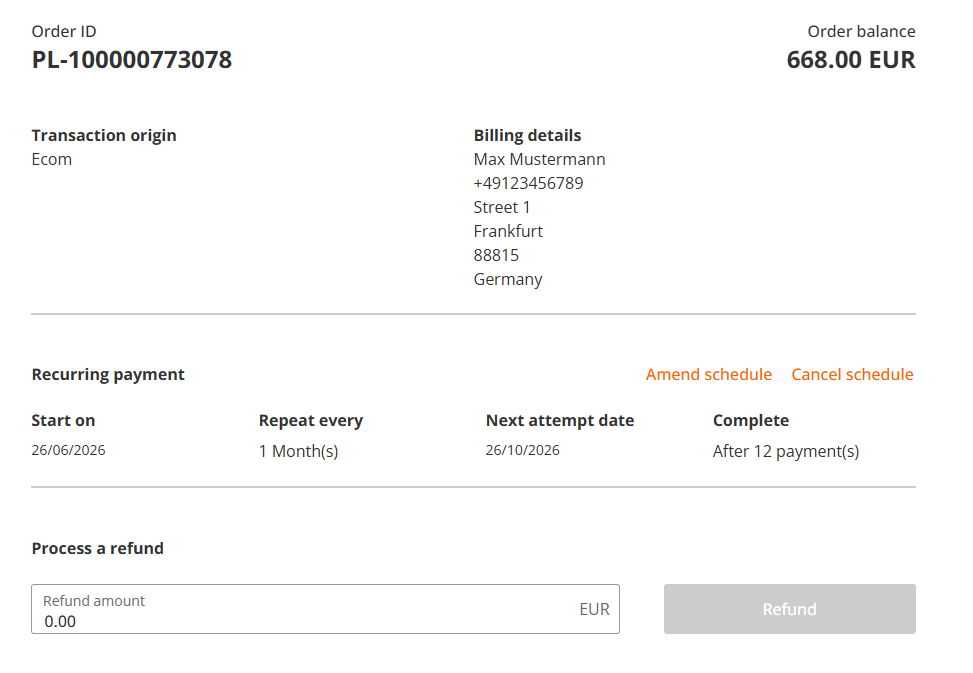
It is possible to modify the following parameters:
- recurring frequency
- payment details / credit card number
- transaction amount
- billing information
Amend Recurring Frequency
You can change the recurring frequency by changing the number of days, weeks, months or years or change the end date for the schedule.
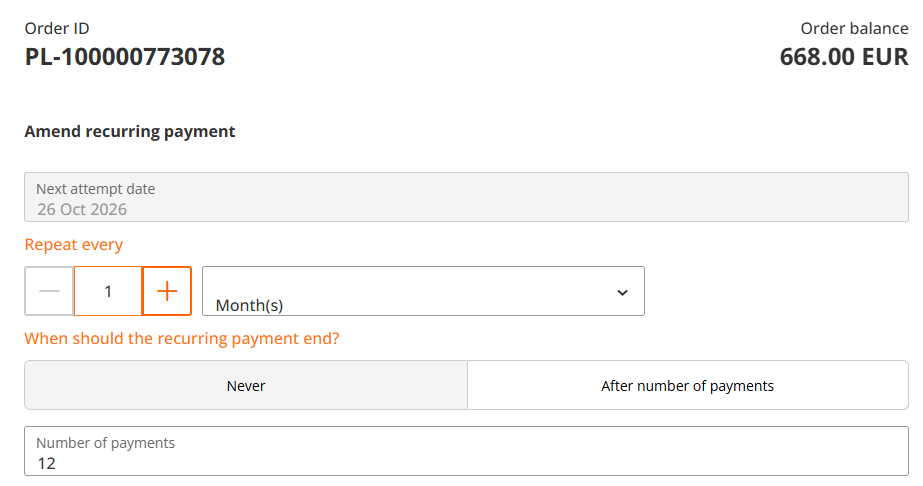
Update Payment Details
You can change the payment details by clicking on "Update" button.

You can type a different credit card number, which will be charged in the future:

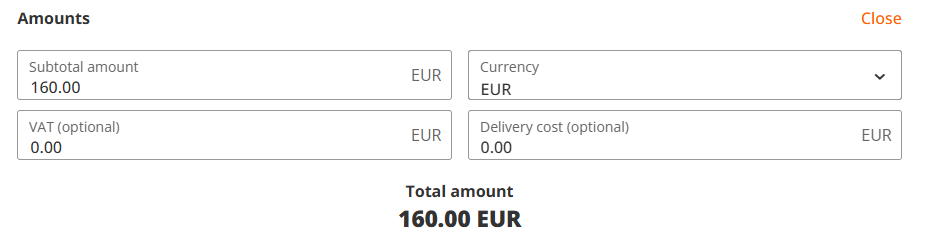
Update Transaction Amount
You can update a transaction amount by clicking on "Update" button:

You can also change delivery cost and VAT, if needed.
Update Billing Details
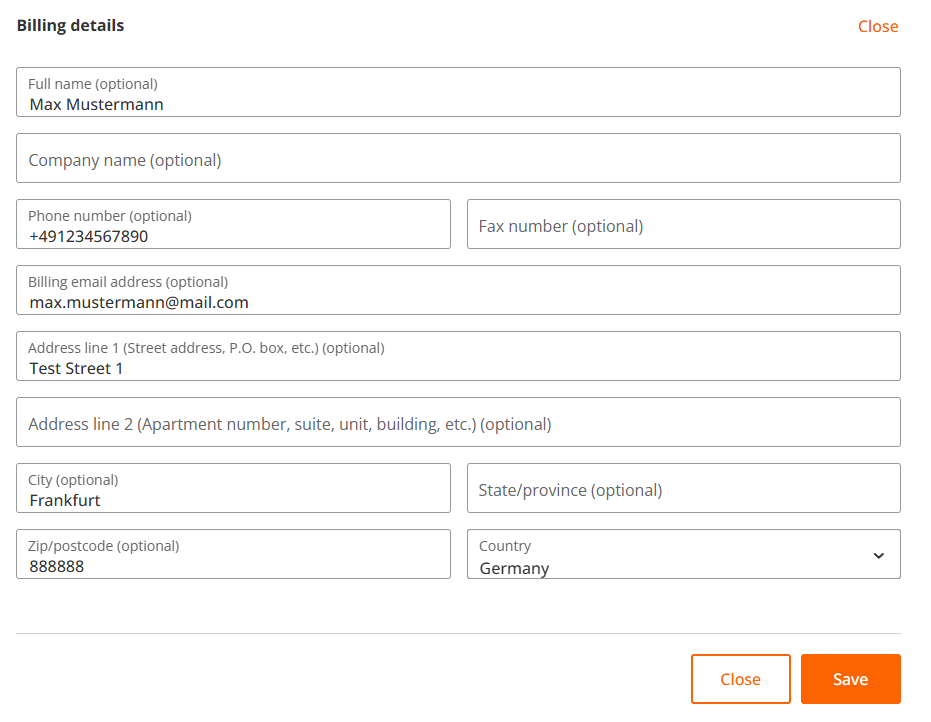
You can update a billing information by clicking on "Update" button:

Please update or fill out additional information, as on the example below and click on "Save" button.
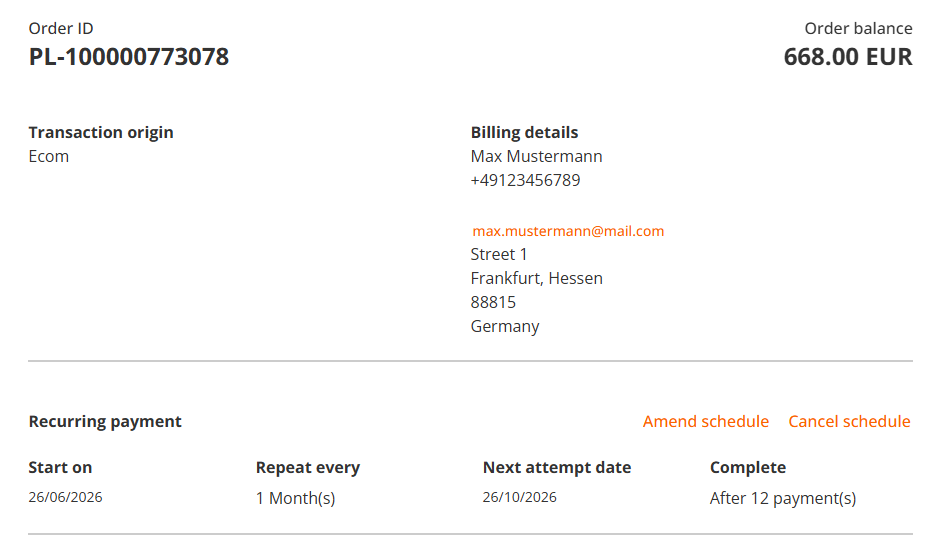
After you confirmed to save all the changes, the confirmation message appears and you will be shown the amended schedule.

Cancel Schedule
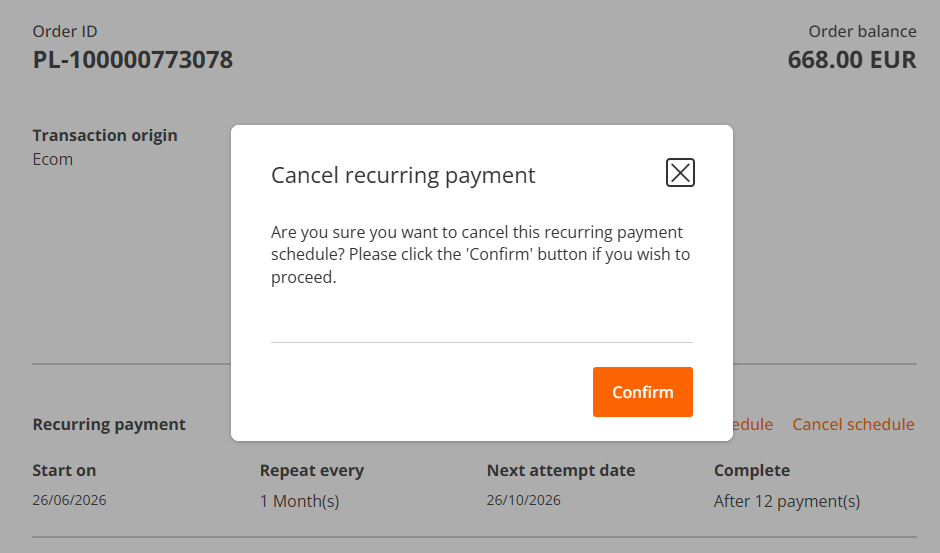
In case you need to cancel the schedule, please click on "Cancel schedule" button located above recurring payment details.
Confirm your choice as instructed on the screen.
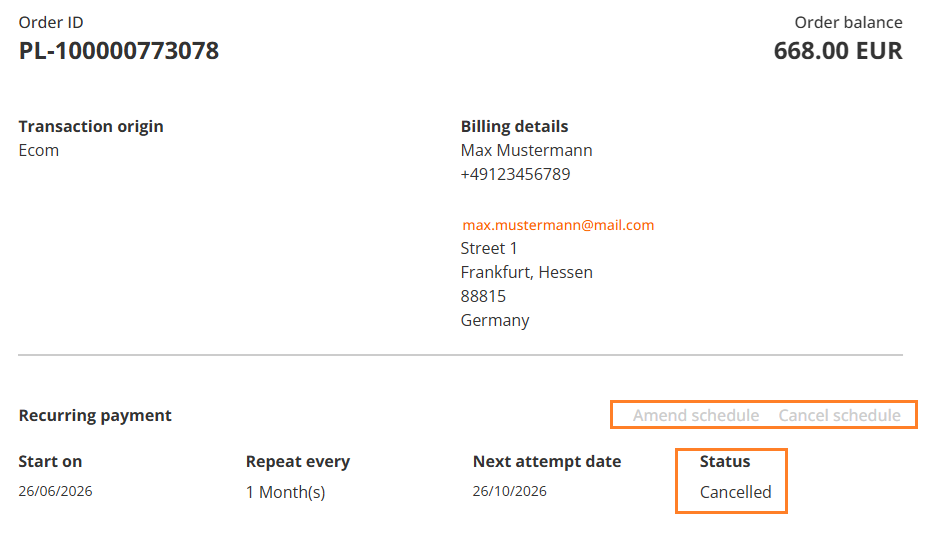
After you confirmed the schedule cancellation, the recurring schedule Status is changed to "Cancelled", "Amend schedule" and "Cancel schedule" buttons are deactivated.
Updated 17 days ago
