
3-D Secure Report
Introduction
3-D Secure report provides the overview of all 3DS authentications performed on your store level, independently on the submission component used. The report includes all authentication attempts, also the authentication requests where the authorisation has not been successfully completed.
Search criteria
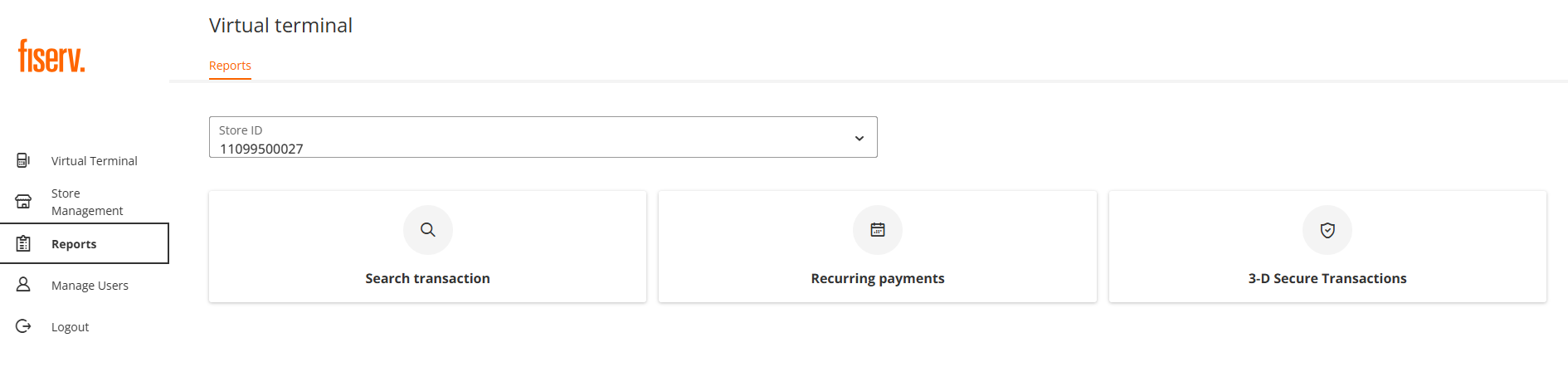
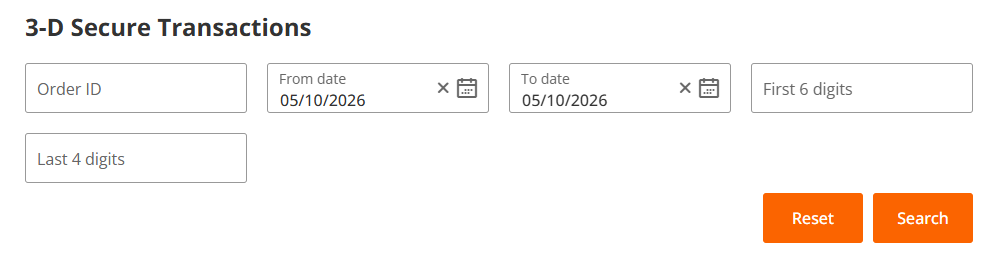
After clicking on 3-D Secure Transaction tile, the following search parameters are displayed:
- Order ID - a standard IPG transaction identifier
- From date
- To date
- First 6 digits - the first 6 digits of a credit card number
- Last 4 digits - the last 4 digits of a credit card number
Report Details
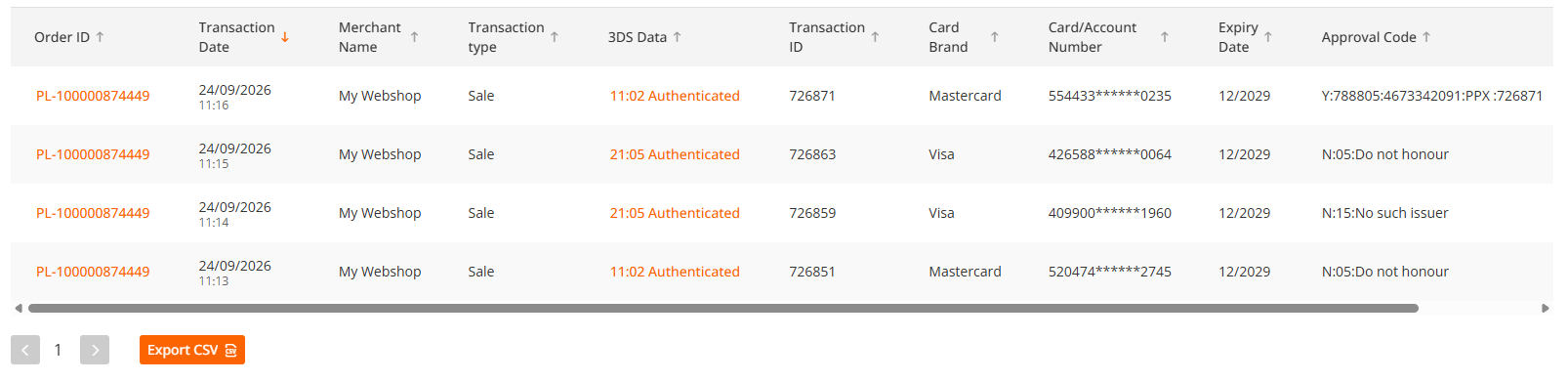
Based on your selection, the list of all transactions matching your input are listed below the search table.
Every transaction contains two clickable parameters (highlighted).
Order Details
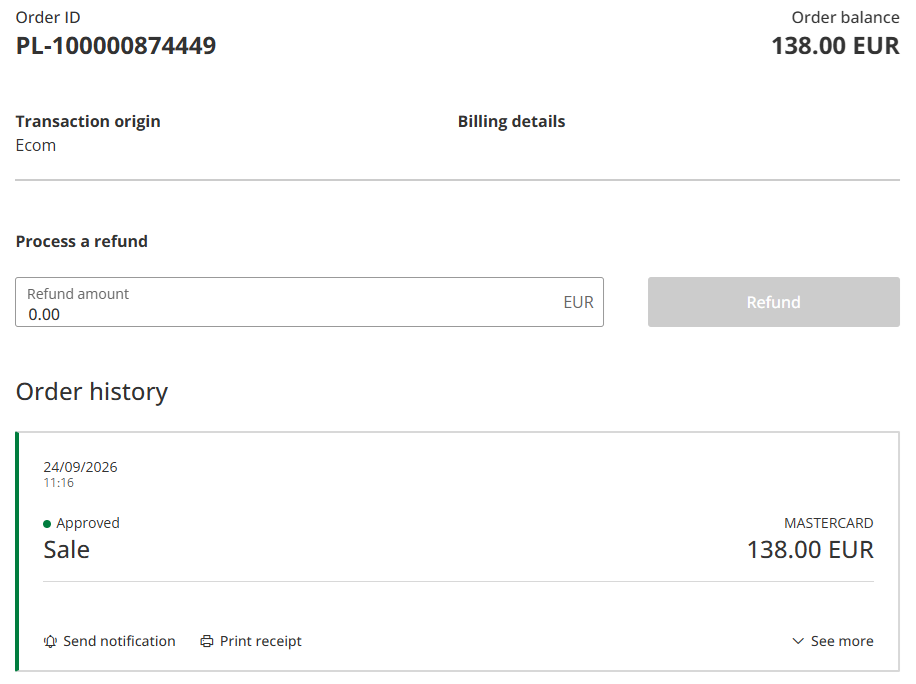
By clicking on "Order ID", the standard transaction details is shown, as on the example below.
3DS Data
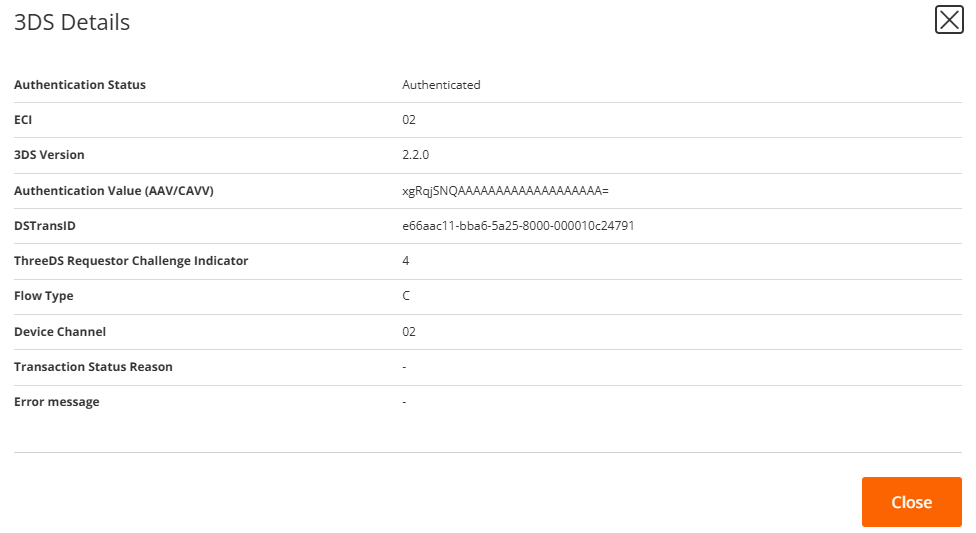
By clicking on 3DS Data, the following authentication data are shown:
- Authentication Status - provides the information about the authentication result
- ECI (E-commerce Indicator) - represents the value assigned by the schemes (02 = Mastercard, 05 = Visa and other international brands)
- 3DS Version - represents the 3DS protocol version used for the authentication
- Authentication Value (AAV/CAVV) - represents the authentication value assigned to the transaction by schemes
- DSTransID (Directory Server Transaction ID) - a unique 3DS transaction identifier assigned by the Directory Servers (schemes)
- ThreeDS Requestor Challenge Indicator - represents the value of a 3DS requestor's (usually merchant) preferred authentication flow; available values 1 - 9 (please see the details here: 3DS Requestor Challenge Indicator
- Flow Type - represents the flow used to process 3DS transaction, available values:
C = Challenge Flow
F = Frictionless Flow - Device Channel - The 3-D Secure authentication transaction can be initiated through 3 Device Channels:
01 - App-based
02 - Browser-based
03 - 3DS Requestor Initiated (3RI) - Transaction Status Reason - provides further explanation of why the authentication failed. Available values:
01 = Card authentication failed
02 = Unknown device
03 = Unsupported device
04 = Exceeds authentication frequency limit
05 = Expired card
06 = Invalid card number
07 = Invalid transaction
08 = No card record
09 = Security failure
10 = Stolen card
11 = Suspected fraud
12 = Transaction not permitted to Cardholder
13 = Cardholder not enrolled in service
14 = Transaction timed out at the ACS
15 = Low confidence
16 = Medium confidence
17 = High confidence
18 = Very high confidence
19 = Exceeds ACS maximum challenges
20 = Non-Payment transaction not supported
21 = 3RI transaction not supported
22 = ACS technical issue
23 = Decoupled Authentication required by ACS but not requested by 3DS Requestor
24 = 3DS Requestor Decoupled Max Expiry Time exceeded
25 = Decoupled Authentication was provided insufficient time to authenticate Cardholder. ACS will not make attempt
26 = Authentication attempted but not performed by the Cardholder
27 = Preferred Authentication Method not supported
28 = Validation of content security policy failed
29 = Authentication attempted but not completed by the Cardholder. Fall back to Decoupled Authentication
30 = Authentication completed successfully but additional authentication of the Cardholder required. Reinitiate as
Decoupled Authentication - Error message - failed authentication error message, if provided by the issuer (ACS)
Updated 17 days ago
Did this page help you?
